
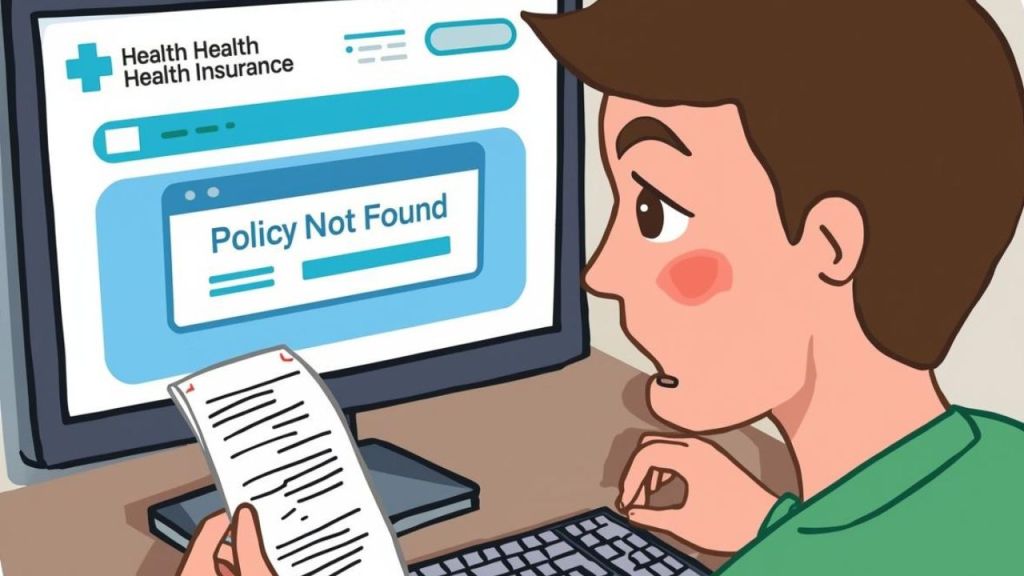
You Paid, but the Policy Is Missing — What’s Going On?
You’ve made the payment. The amount is debited. Yet, your dashboard still says “pending.”
That sinking feeling is familiar to many policyholders. You expect instant confirmation, but instead, you’re left wondering if your coverage has even started.
It feels frustrating — and slightly worrying — especially when you did everything right.
The good news is, this problem is more common than you think, and it’s usually fixable within days.
Why Health Insurance Takes Time to Reflect
Health insurance activation isn’t as instant as shopping online.
Behind that “Pay Now” button, there’s a chain of systems, payment gateways, insurer databases, and IRDAI servers — syncing data.
If one of them lags, your policy stays “in process” temporarily.
Sometimes the bank confirms first, but the insurer hasn’t yet received that confirmation.
Other times, there’s a KYC mismatch or incomplete proposal data that needs manual review.
These minor backend issues often cause considerable front-end confusion.
What’s Actually Happening Behind the Scenes
Here’s the simple truth: your coverage starts only after the insurer verifies your payment, matches it with your proposal, and officially issues your policy bond.
Think of it like booking a flight. You’ve paid for your ticket, but your seat isn’t confirmed until the airline system updates.
Here’s the real process flow:
- You make payment through the insurer or aggregator portal.
- The payment gateway confirms and forwards details to the insurer.
- The insurer’s system checks for pending KYC, proposal errors, or underwriting queries.
- Once cleared, the policy bond is generated, emailed, and reflected in your login.
Any delay in these steps simply means the process is still in motion.
How Long Should You Wait Before Worrying?
If it’s a new policy, insurers generally update your status within 24–48 hours.
If it’s a renewal, don’t panic — your existing coverage remains valid during the grace period, usually 15 days from expiry.
Still, keep your payment acknowledgment handy. That’s your proof of transaction until the policy number appears.
What you should do:
- Wait 1–2 business days for reflection.
- If nothing changes, email customer support with:
- Payment reference ID
- Proposal number
- Transaction date and amount
- Attach the payment receipt or bank confirmation.
This small follow-up usually resolves the issue quickly.
Common Mistakes That Cause Delays
Many policyholders assume that once money is paid, everything is done.
However, 18% of policy complaints received by IRDAI in 2024 were related to delayed issuance or missing policy documents, most caused by incomplete forms or pending KYC checks.
Avoid these mistakes:
- Not saving payment proofs or confirmation emails.
- Ignoring follow-ups from the insurer requesting clarifications.
- Making payments on weekends or bank holidays when systems are slow.
Better approach:
Save receipts immediately, track status online, and if delayed beyond 48 hours, escalate through email or customer portal chat.
Simple Ways to Prevent This Next Time
You can easily avoid this confusion in future renewals or purchases:
- Use the insurer’s official app or web portal rather than third-party payment links.
- Set up auto-renewal through net banking or credit card for seamless continuation.
- Keep all your KYC and documents updated on DigiLocker — it speeds up backend verification.
- Opt for an instant PDF policy download if available after payment.
When you know how the system works, you’re no longer at its mercy.
The Bottom Line
Your payment isn’t lost. It’s just waiting to sync.
Most delays are technical, not intentional. Once verified, your policy will reflect automatically.
So instead of panic, respond with clarity — track, verify, and escalate when needed.
That’s what empowered policyholders do.
Frequently Asked Questions
Why is my health insurance policy not showing even after payment?
This usually happens because your payment and proposal details are still syncing between the bank, payment gateway, and insurer. It can take up to 48 hours for the system to reflect the updated policy. If it takes longer, contact your insurer’s customer support with your payment receipt or transaction reference number.
Does this delay mean I’m not covered?
No. If your payment was successful and acknowledged, you are still covered. The delay is administrative, not a lapse in protection. Keep your payment confirmation as proof of continuity until your policy bond arrives.
How long does it normally take for a policy to appear after renewal?
Most insurers update renewal details within 24 to 48 working hours. Some banks or aggregators may take longer if you paid during weekends or holidays. Always allow two business days before raising a service request.
What if my renewal date passes and I still don’t see the updated policy?
Don’t worry — IRDAI allows a grace period of up to 15 days after expiry for renewal. During this time, your policy continues to offer uninterrupted coverage. Make sure to keep your renewal receipt and follow up with the insurer immediately.
How can I speed up the process if my policy still isn’t visible?
The quickest way is to email or chat with the insurer’s support team. Include:
- Payment reference or UTR number
- Proposal or policy number
- Transaction date and amount
Attach a screenshot of your payment confirmation for faster verification. Most cases get resolved within a day after this follow-up.
Can I file a complaint if there’s no response?
Yes. If your insurer doesn’t respond within a reasonable time, you can escalate the issue through the IRDAI Grievance Redressal Portal (igms.irda.gov.in) or call the IRDAI helpline (155255). Keep all emails and payment proofs ready before filing.
How can I avoid this issue in the future?
Use the insurer’s official payment links or apps, set up auto-renewals, and maintain your KYC details on DigiLocker. Always verify your policy status 24 hours after payment.
 yourpolicyguide.in
Leave a comment